 DigiVirtual
A PSD & PSB image editor, right in your browser
Open Photoshop files with every layer intact, edit them, and save back to PSD — nothing to install, and not a single byte of your files ever leaves your device. All processing happens locally in your browser.
The first launch downloads about 20 MB, then stays cached in your browser.

Everything on board
Real layered editing
Open and save PSD and PSB files with groups, masks, alpha channels, blend modes and fill opacity — round-tripping with Adobe Photoshop.
Brushes & raster tools
Pressure-aware brushes, eraser, healing, clone stamp, gradients, selections and transforms — the everyday raster toolkit.
Layer styles & smart filters
Shadows, bevels, glows and strokes plus smart objects and non-destructive smart filter stacks with paintable shared masks.
Text & vectors
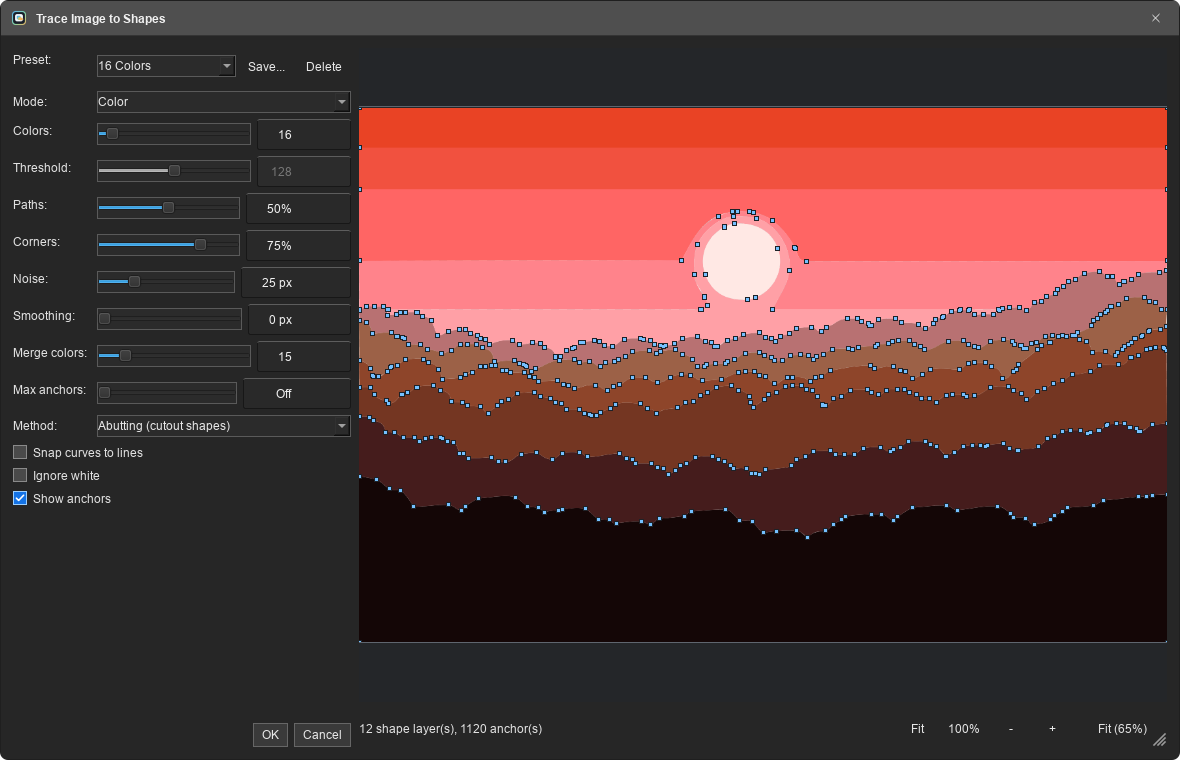
Rich text with any system font, pen paths, live vector shapes, warp text, and image-trace to editable shapes.
Many formats
PNG, JPEG, WebP, TIFF, GIF, SVG, Affinity documents, and indexed PNG export for pixel art.
Absolute privacy
No file is ever uploaded; the editor runs inside your browser and your data never leaves your device.
Privacy comes first
This tool is the browser build of the open-source Patchy editor, running on your device via WebAssembly — the same experience as a desktop app, with no install and no server.
- Your files are never uploaded or sent anywhere.
- No account, no tracking cookies, no telemetry.
- Works offline after the first launch (the editor stays cached).
Three simple steps
Open the editor
Click the launch button and wait for the editor to load.
Open & edit your file
Open your PSD and work with layers, filters and text.
Save
Export as Photoshop-compatible PSD or as PNG/JPEG.
A look inside
From the dialogs to the canvas — everything runs inside your browser.

Before you start
A few things worth knowing:
An up-to-date browser (Chrome, Firefox or Edge) — desktop is recommended.
The first launch downloads ~20 MB (compressed); afterwards it starts almost instantly.
Browser tabs have limited memory; larger documents need more of it.
Safari may hit a memory bug after a few minutes; Chrome/Firefox are safer.
The first launch downloads about 20 MB, then stays cached in your browser.